Inhalt
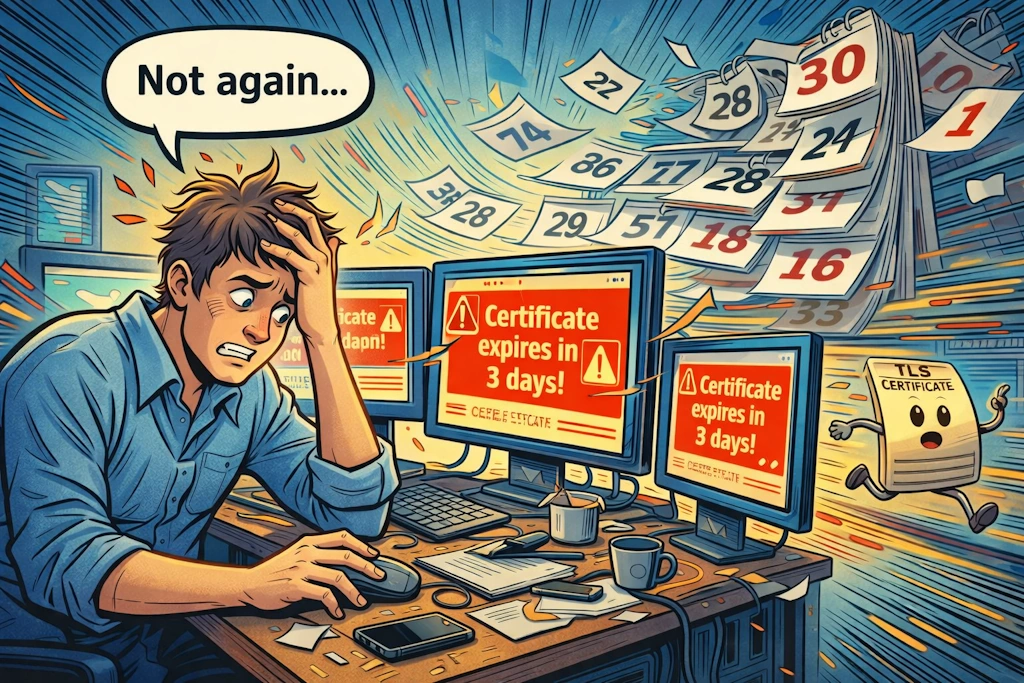
ToggleStarting March 15, 2029, public TLS certificates will be limited to a maximum validity of 47 days. This change was agreed upon by the CA/Browser Forum through Ballot SC-081v3, with Apple proposing it and all major browser makers giving their support.
For Exchange Server, managing certificates manually can sometimes cause mistakes, so having real automation is really helpful. This is especially true in isolated network segments, where setting things up can be even more challenging.
What was officially decided?
With the CA/B forum vote SC-081v3, a clear schedule is now defined that shortens the maximum validity period of public TLS certificates, including the validity of their validation data (DCV, SII). This increases security and reliability.
The key data:
- From March 15, 2026: max. 200 days
Domain Control Validation (DCV) reusable for up to 200 days - From March 15, 2027: max. 100 days
DCV up to 100 days - Until March 15, 2029: max. 47 days
DCV reuse only 10 days
More than just changing the IIS binding
With classic web servers, the certificate change usually only takes place in the HTTPS binding. In an Exchange organization, however, the whole thing is far more versatile and complex.
- HTTPS endpoints
OWA, EWS, MAPI/HTTP, AutoDiscover, etc. All are dependent on the certificate you assign in EAC/EMS - SMTP/TLS
A change of certificate directly affects the receive/send connectors. - Edge Transport
If edge servers are involved, a certificate swap can affect EdgeSync communication (LDAPS 50636) and thus disrupt the synchronization of configuration and recipient data.
TLS certificates used on Edge Transport servers are particularly sensitive. The self-signed Exchange default certificate is used for EdgeSync, among other things. Accidentally confirming the option “Overwrite default SMTP certificate?” when activating a new certificate leads to a re-encryption of the ADLDS data and thus to a break in EdgeSync synchronization.
Recommendation: Use a public certificate for SMTP that does not overwrite the standard self-signed certificate for EdgeSync.
The dilemma: no integrated, official solution in Exchange
ACME is the standard for free and many commercial automation channels. Validation must be repeated regularly, and from 2029 it must even be possible to use it again within 10 days (DCV).
Microsoft describes the certificate procedures (such as creating CSRs, importing and assigning services) in EAC and in the Exchange Management Shell. However, fully automated lifecycle management for public certificates is not integrated, so you create and manage them manually or by script, including service assignment per server and service. The basics of certificates, protocols (TLS 1.2 by default, ECC ciphers preferred) and service dependencies are well documented, but automation paths for public CAs are not.
This is in line with market developments: The shorter runtimes are driving automation, exactly what Apple and Google have been calling for for years. In 2025, the course has now finally been set.
In short: workarounds are possible, but there is no “official” end-to-end automation in Exchange.
Validation of domain sovereignty
ACME is the standard for free and many commercial automation paths. Validation must be renewed regularly, and from 2029 it must even be possible to perform it again within 10 days (DCV).
ACME supports the following challenge types for validating a domain (DCV)
- HTTP-01
Token via port 80 at /.well-known/acme-challenge/….
Simple, but it requires a publicly accessible web server (and port 80 in incoming traffic).
No wildcards. - DNS-01
TXT record under _acme-challenge.<domain>.
Allows the use of wildcards and works without a publicly accessible web server. Ideal for DMZ environments or situations where TCP port 80 is not provided, but requires a DNS automation API or manual management. - TLS-ALPN-01
Special response via ALPN on port 443. Niche topic, often not supported, but interesting for certain topologies.
What does this mean for you as an Exchange Admin?
The upcoming changes to the certificate terms pose special challenges. It is therefore important that we start our preparations early.
Rethinking architecture
- Separate responsibilities
An external automation point is required for public TLS certificates, for example a reverse proxy, a web gateway or a separate certificate hub that is positioned outside the Exchange subnet. This system uses ACME to communicate with the CA and distributes the certificates internally, avoiding the direct connection between the CA and the Exchange server.
- Edge Transport special features
Plan to change SMTP certificates more frequently. The Edge requires a public certificate for SMTP (Partner-TLS, MTA-STS/Policy-Checks), but you must not simply overwrite the self-signed certificate for EdgeSync. Since edge transport servers are located in the perimeter network, this makes communication with the TLS ACME endpoint more difficult.
Establish processes for frequent changes
- Standardize namespaces & SANs
Clearly structured, short certificate subject alternative names (such as mail.contoso.tld, autodiscover.contoso.tld) facilitate the reissue of certificates and comply with best practices for Exchange namespaces.
- Cascaded distribution
Certificates should be generated and renewed centrally (ACME client, commercial tools), exported as a PFX file with a strong password, automatically distributed to all Exchange servers and activated (IIS, SMTP, POP/IMAP).
Establish processes for frequent changes
- ACME via DNS-01
If Exchange does not have an Internet connection, we can use a DNS automation path (provider API) controlled by a management host in the perimeter network. This host takes over the challenge, obtains the certificate, exports the PFX file and starts remoting for the certificate distribution.
- PowerShell as a “crutch“
scripts are still very useful (CSR, Import, Enable), but without events/retry/secrets management they can be a bit fragile. Especially after 47 days, the use is simply too frequent, which increases the risk.
Stumbling blocks
- EdgeSync breaks after certificate change
Symptom: EdgeSync synchronization stops, hybrid mail flow is disrupted.
Cause: Incorrect certificate for LDAPS, as the default certificate has been overwritten.
Solution: Leave self-signed for EdgeSync intact (default certificate of the transport service), activate the public SMTP certificate separately and do not overwrite it. - AutoDiscover/Outlook reports certificate warnings
Cause: SANs incomplete, certificate not distributed to all CAS/mailbox servers, old thumbprint still active.
Solution: Standardize SAN set, distribute centrally, execute Enable-ExchangeCertificate -Services IIS cleanly everywhere and subsequent Outlook/AutoDiscover tests. - HTTP-01 not possible
Cause: Hard restriction for incoming TCP 80 connections to the perimeter network
Solution: DNS-01 with API automation, taking into account TTL/propagation settings and retry logic to make the process error-free. - Wildcards required
Solution: Only DNS-01 allows wildcards. Check whether wildcards are really necessary. Precise SANs are more secure.
What the term reduction means in practice
- 2026 ⇒ 200 days: You change certificates at least twice a year. Manual calendar reminders are still sufficient, but easy to overlook.
- 2027 ⇒ 100 days: 4× per year. If you do not use automation, unexpected failures may occur.
- 2029 ⇒ 47 days/10 days DCV 8-12× per year. Manual management is not ideal in the long term. Automation is becoming increasingly important.
When we talk about shortening, it is often emphasized that shorter runtimes reduce the attack window, make the withdrawal of certificates (recovation) appear less critical and increase crypto-agility, such as the rapid change of algorithms. The security benefit is definitely there and really noticeable. However, it is important that your processes there also keep pace so that everything works optimally.
Conclusion
The decision of the CA/B forum members (incl. Apple, Google, Microsoft, Mozilla) is final. Public TLS certificates are only valid for a short time.
Although Exchange provides useful manual tools, it does not offer integrated, fully automated lifecycle management with a public CA connection. This means that some challenges remain. Unless you use automation outside of Exchange, for example with ACME, to create a solid foundation and integrate the distribution and activation step-by-step using scripts. This can be well planned, but requires discipline and a clear separation between the automation processes that lead to the Internet and the internal Exchange environment, especially when using Edge Transport.
Teilen mit:
- Share on Bluesky (Opens in new window) Bluesky
- Share on LinkedIn (Opens in new window) LinkedIn
- Share on Pinterest (Opens in new window) Pinterest
- Share on Telegram (Opens in new window) Telegram
- Print (Opens in new window) Print
- Email a link to a friend (Opens in new window) Email
- Share on Mastodon (Opens in new window) Mastodon
- Share on Nextdoor (Opens in new window) Nextdoor